JTL-Shop Consent Manager
- The JTL-Shop Consent Manager is responsible for managing end user consent for the purpose of processing their personal data.
Since the European Court of Justice’s decision on October 1st 2019 regarding data protection, all website owners are legally required, within the framework of the ePrivacy Directive, to obtain consent from and sufficiently inform all website visitors, as pertains to the processing of their personal data.

With the JTL-Shop Consent Manager, obtaining and storing the consent of website visitors is easy and uncomplicated.

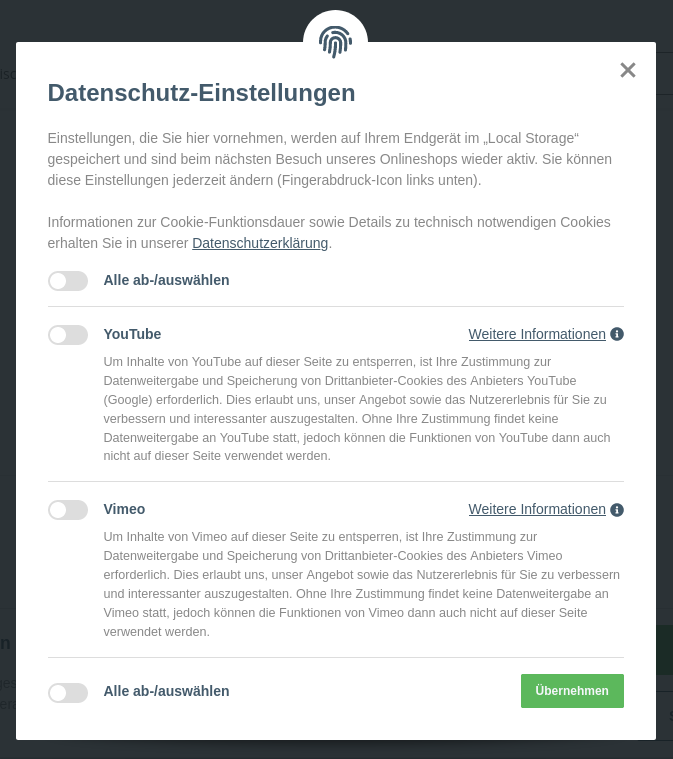
Access to these settings on the frontend is possible via an icon:

Consent Manager in the plug-in
Plug-ins can also request consent via the Consent Manager from JTL-Shop 5.
To do this, a plug-in registers a listener for the event CONSENT_MANAGER_GET_ACTIVE_ITEMS
via the EventDispatcher (”The EventDispatcher”)
$dispatcher->listen('shop.hook.' . \CONSENT_MANAGER_GET_ACTIVE_ITEMS, [$this, 'addConsentItem']);
Once the event CONSENT_MANAGER_GET_ACTIVE_ITEMS is triggered, the Lambda-Funktion
addConsentItem() in the plug-in will register the consent in the JTL-Shop Consent Manager.
/**
 * @param array $args
 */
public function addConsentItem(array $args): void
{
    $lastID = $args['items']->reduce(static function ($result, Item $item) {
            $value = $item->getID();

            return $result === null || $value > $result ? $value : $result;
        }) ?? 0;
    $item   = new Item();
    $item->setName('JTL Example Consent');
    $item->setID(++$lastID);
    $item->setItemID('jtl_test_consent');
    $item->setDescription('This is only a test from the JTL test plug-in');
    $item->setPurpose('This is only for testing purposes');
    $item->setPrivacyPolicy('https://www.jtl-software.de/datenschutz');
    $item->setCompany('JTL-Software-GmbH');
    $args['items']->push($item);
}
The request for consent will then be shown in the form of a switch in the JTL-Shop Consent Manager.
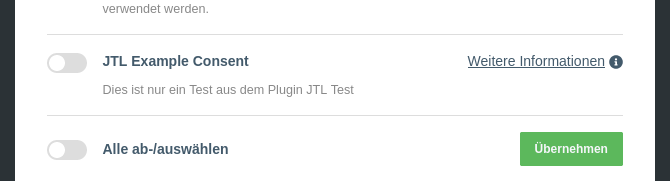
In the “jtl-test” plug-in, you can see the process in further detail.